

Video Container Messages
This system allows you to overlay messages on top of the video container. Messages can include text and icons in SVG text format. The message container is divided into nine areas, like a tic-tac-toe board, allowing precise positioning of messages across the video surface.
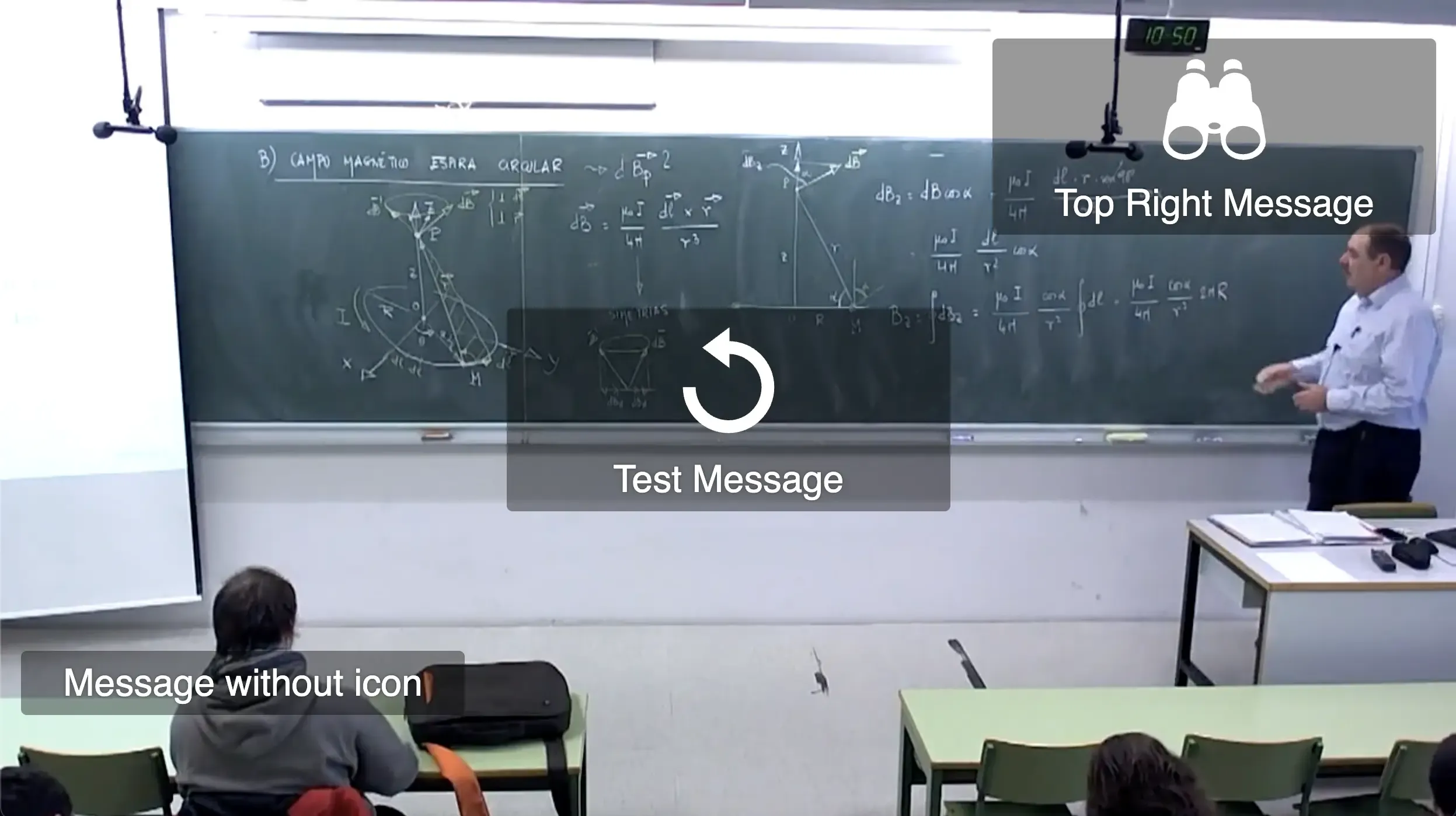
To display a message, you need to specify the text content, an optional icon, the area where you want to show it, and the duration it should remain visible. This feature is particularly useful for providing user feedback, displaying status information, or showing interactive elements during video playback.
const icon = `<?xml version="1.0" encoding="UTF-8" standalone="no"?><!DOCTYPE svg PUBLIC "-//W3C//DTD SVG 1.1//EN" "http://www.w3.org/Graphics/SVG/1.1/DTD/svg11.dtd"><svg xmlns="http://www.w3.org/2000/svg" width="24" height="24" viewBox="0 0 24 24" fill="none" stroke="currentColor" stroke-width="2" stroke-linecap="round" stroke-linejoin="round" class="lucide lucide-chevron-right-icon lucide-chevron-right"><path d="m9 18 6-6-6-6"/></svg>`;
paella.videoContainer.message.show({    text: "Hello, World!",    icon,    position: "centerMiddle",    timeout: 5000});
Message Properties
Section titled “Message Properties”The show() method accepts an object with the following properties:
- text: The message content to display
- icon: Optional SVG icon as a string
- position: The area of the video container where the message should appear
- timeout: Duration in milliseconds before the message automatically disappears
Available Positions
Section titled “Available Positions”The video container is divided into nine positioning areas:
- topLeft: Top-left corner
- topCenter: Top center
- topRight: Top-right corner
- centerLeft: Middle left
- centerMiddle: Center (default)
- centerRight: Middle right
- bottomLeft: Bottom-left corner
- bottomCenter: Bottom center
- bottomRight: Bottom-right corner
Examples
Section titled “Examples”Simple text message
Section titled “Simple text message”paella.videoContainer.message.show({ text: "Video loaded successfully", position: "topCenter", timeout: 3000});Message with custom icon
Section titled “Message with custom icon”const playIcon = `<svg xmlns="http://www.w3.org/2000/svg" width="24" height="24" viewBox="0 0 24 24" fill="currentColor"> <path d="M8 5v14l11-7z"/></svg>`;
paella.videoContainer.message.show({ text: "Now playing", icon: playIcon, position: "centerMiddle", timeout: 2000});Removing Messages
Section titled “Removing Messages”When a message is displayed, it will remain visible for the specified time. If a second message is displayed in the same position, the previous message will be replaced. If we want to delete a message before its time expires, we can display a message with empty text:
paella.videoContainer.message.show({ text: "", position: "centerMiddle", timeout: 0});